


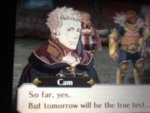
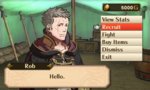
So, my ACNL town is fire emblem themed, so I want to ask the person who made my sig to add the official art of my main character via screenshot from my game. Now to the editing part. I want to edit the photo to where it has a transparent background(or just crop it to where the only thing left in the photo is the character) Can someone either do that for me once I get the screenshot up or walk me through it?
You are using an out of date browser. It may not display this or other websites correctly.
You should upgrade or use an alternative browser.
You should upgrade or use an alternative browser.
Need help with Photo Editing O.O
- Thread starter Cam1
- Start date
- Status
- Not open for further replies.





radical6
stop pming me for collectibles


I hate to say it but that's an excessively blurry image. If you know the character's name, find him on the Fire emblem wiki.
He's not a character though, he's the player made avatar. Don't think there's someone that looks like him on the wiki but good luck I guess.


Okay. I will try.
You can post screenshots on miiverse and then access miiverse from your PC to download your screenshot from your activity feed. Your 3DS automatically takes a screen cap when you press home, and when you go to miiverse you can upload it by hitting the little photo button when you go to post a message.
Last edited:
Oh well that's nice to know! Thanks a lot!
comes out like this:

Lemme know if you need any more help.
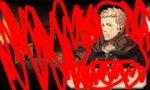
The closest I could find was this, which is the wrong hair colorView attachment 55226
I can crop that out and use a color balance filter to change the hair color for ya. I'll post back in a while with it.
EDIT: Nevermind.
Last edited:
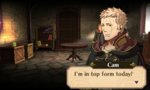
Here we go! Thanks so much for telling me this Alice!!!View attachment 55231
It looks great! And thanks WonderK for helping me out!
Is that what I'm cropping out?


- Status
- Not open for further replies.
Similar threads


- Replies
- 0
- Views
- 147