You are using an out of date browser. It may not display this or other websites correctly.
You should upgrade or use an alternative browser.
You should upgrade or use an alternative browser.
New Desktop Thread
- Thread starter Megamannt125
- Start date


<div class='spoiler_toggle'>Spoiler: click to toggle</div><div class="spoiler" style="display:none;">
 </div>
I'm trying to recreate the Mac look. I need to download a mod to change the look of windows to make them look mac-ish and have the minimize/exit buttons on the right side. I need to edit some stuff in system 32, so I need to make a backup. I'm too lazy tonight, so it'll have to wait 'til tomorrow.
I'm trying to recreate the Mac look. I need to download a mod to change the look of windows to make them look mac-ish and have the minimize/exit buttons on the right side. I need to edit some stuff in system 32, so I need to make a backup. I'm too lazy tonight, so it'll have to wait 'til tomorrow.


They're all covered :]NGT said:0.0 that looks like porn.Erica said:Gaia Online rules my life.
<div class='spoiler_toggle'>Spoiler: click to toggle</div><div class="spoiler" style="display:none;"></div>

Changed again.
<div class='spoiler_toggle'>Spoiler: click to toggle</div><div class="spoiler" style="display:none;">Couldn't get a picture but here's a link to it http://unrelatedcaptions.com/50208#comments</div>
<div class='spoiler_toggle'>Spoiler: click to toggle</div><div class="spoiler" style="display:none;">Couldn't get a picture but here's a link to it http://unrelatedcaptions.com/50208#comments</div>


Hot damn, that's a beautiful background.-Niko said:<div class='spoiler_toggle'>CLICKY CLICKY(also pretty big)</div><div class="spoiler" style="display:none;"></div>
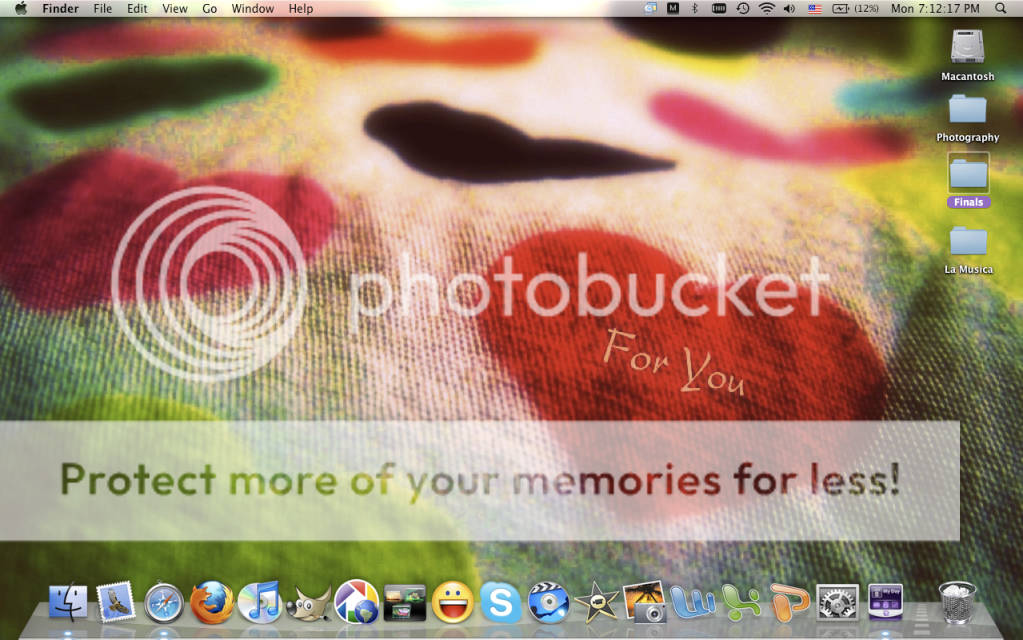
I love using the Mac dock on Windows XP.
How old is that version of GIMP you have on your dock? :OLuvbun said:<div class='spoiler_toggle'>Spoiler: click to toggle</div><div class="spoiler" style="display:none;"></div>
Mm, not sure my brother downloaded it a while ago.Pear said:How old is that version of GIMP you have on your dock? :OLuvbun said:<div class='spoiler_toggle'>Spoiler: click to toggle</div><div class="spoiler" style="display:none;"></div>
2.6 I believe.
Wow, that's a different than normal icon. :OLuvbun said:Mm, not sure my brother downloaded it a while ago.Pear said:How old is that version of GIMP you have on your dock? :OLuvbun said:<div class='spoiler_toggle'>Spoiler: click to toggle</div><div class="spoiler" style="display:none;"></div>
2.6 I believe.


It is?Pear said:Wow, that's a different than normal icon. :OLuvbun said:Mm, not sure my brother downloaded it a while ago.Pear said:How old is that version of GIMP you have on your dock? :OLuvbun said:<div class='spoiler_toggle'>Spoiler: click to toggle</div><div class="spoiler" style="display:none;"></div>
2.6 I believe.
How old is the version, you have?
I believe 2.6.Luvbun said:It is?Pear said:Wow, that's a different than normal icon. :OLuvbun said:Mm, not sure my brother downloaded it a while ago.Pear said:How old is that version of GIMP you have on your dock? :OLuvbun said:<div class='spoiler_toggle'>Spoiler: click to toggle</div><div class="spoiler" style="display:none;"></div>
2.6 I believe.
How old is the version, you have?
They released a 2.7 beta. I want it. :O
Gethsamane
Senior Member
<div class='spoiler_toggle'>Spoiler: click to toggle</div><div class="spoiler" style="display:none;">
 </div>
WARNING: Really massive desktop. And yes, I did censor out the name of the town I live in on my weather report. Because I trust NONE of you! D:<
WARNING: Really massive desktop. And yes, I did censor out the name of the town I live in on my weather report. Because I trust NONE of you! D:<
Similar threads


- Replies
- 39
- Views
- 2K

