laneybaney921
Senior Member
good idea i need help 2 my place is a wreck
Could you post a screenshot of your town then?laneybaney921 said:good idea i need help 2 my place is a wreck
You need a SD card and something that can connect the SD card to your computer(unless your computer already has that built-in-thingie).laneybaney921 said:idk can you tell me how???
I think it loses a little quality, but it's still pretty much like the original.Mickey said:Is it the SD Card when your picture isn't as clear as it can be? I mean like, it's all pixelated and what not.
My pictures are just flat out ugly when I get them out. It's quite icky.pl0xman123 said:I think it loses a little quality, but it's still pretty much like the original.Mickey said:Is it the SD Card when your picture isn't as clear as it can be? I mean like, it's all pixelated and what not.
Yep.pl0xman123 said:I think it loses a little quality, but it's still pretty much like the original.Mickey said:Is it the SD Card when your picture isn't as clear as it can be? I mean like, it's all pixelated and what not.
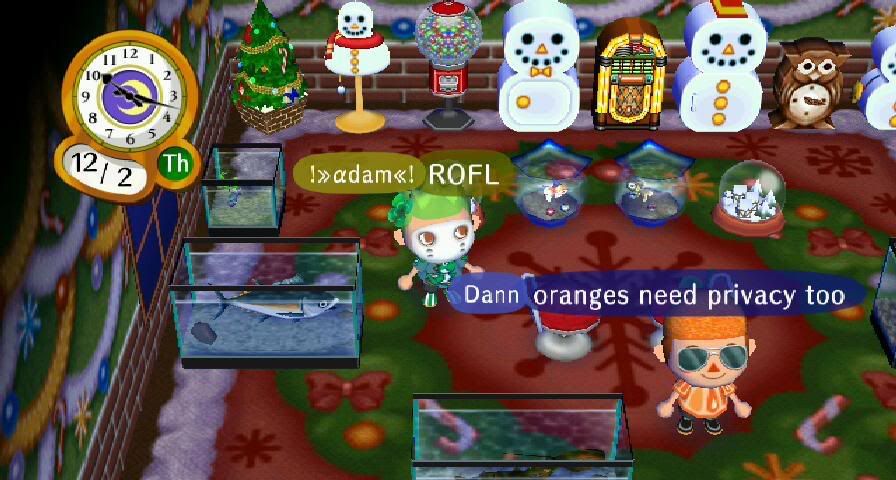
quality is pretty good i must say, better when you take a picture with a camera of your tv-screenThe Famouse Fleep said:Yep.pl0xman123 said:I think it loses a little quality, but it's still pretty much like the original.Mickey said:Is it the SD Card when your picture isn't as clear as it can be? I mean like, it's all pixelated and what not.
A little choppy but still really good.
For example:
me and orange.
 , have you seen Big Top, he's cool :dance:


