Follow along with the video below to see how to install our site as a web app on your home screen.
Note: This feature may not be available in some browsers.
TBT's 2026 New Year's Party has started! Join us from now until January 11th in eight fun New Year's activities. Earn currency to spend on collectibles and raffle tickets. Get started in The Bulletin Board event thread. Happy New Year!
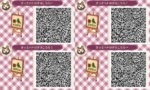
I was scrolling through some qrs and I found one that interested me and I wanted to put on a custom design sign. The problem is if you didn't create it you can't put it on the sign. So I'm asking if there was anyway to put these qrs on a sign so it looks like you made it. Here's the qr
You'll want to talk with Sable and create a QR code. This can be anything you've designed, if you haven't, just scribble something real quick. I suggest just a basic pattern, not a pro, and keep it saved forever so you can do the trick again and again. Once you've got the QR, upload it onto your desktop. Now you can upload it into this program.
There's a section that tells you your ID numbers specific to your game. Hit copy creator. Save the QR's you want to use and now when you upload them to the program, you can choose to paste the creator info. It will generate a new QR with your ID. When you scan that one with Sable, you'll be able to edit it in game and display it as if the design were you own.