• Your hard work restoring The Bell Tree has paid off! A commemorative Shiny Ditto Easter Egg has now appeared in the Shop for 99 Bells.
  • Easter season is here! Here's what we have going on at The Bell Tree:
    • The egg decorating contest is back! Join TBT’s Fifth Egg Decorating Contest, now with two distinct categories: decorating and painting. Entries must be submitted by April 9th.
    • Starting this Friday at 7PM EDT, follow clues to search for eggs around the forum in TBT's Thirteenth Annual Easter Egg Hunt. New eggs will appear throughout the weekend and the hunt ends on April 6th!
    • Customize your profile by spending bells on any of our three recurring backdrops.

How to use happy island designer?

SmoochsPLH

Happy vibes ✌️🌈🎈🧸
Joined
Oct 25, 2018
Posts
2,039
Life Coins
496
Eggs
0
Switch
7883-3221-7710
Cherry (Fruit)
Red Lily
White Lily
Yellow Lily
Pavé
Matryoshka Doll
Black Hybrid Rose
The Bell Tree Fair 2020 Patch
Pear (Fruit)
Orange (Fruit)
I am having so much trouble with this thing how do ya'll do it? I feel like I'm not making my island accurately whatsoever. I can't get the hang of it. I'm so used to going pixel by pixel for new leaf in mspaint lol. Is that what I need to do? I've tried using paths and designs, but neither really work for me. Is it just me?

I have half a mind to ask someone to make it for me lol 😅
Post automatically merged:

Does anyone wanna do that maybe? Plot out my island for me? I feel bad asking that. 😥

I can get you a NMT (I'd have to save up more points if that's not enough), give you peaches, give you my nook miles items color variants, let you catalog stuff (I need to make a list tho).
 
Last edited:
I had a very hard time with the Happy Island Designer because I was not able to use my exact map and couldn't visualize things properly, so I found it very confusing! It's a a really great idea, but not for every body!

My recommendation is to get a screenshot of your map and throw it into Paint.net (unless you have a better program, I personally used SAI, but Paint.net is free!) so that you can colour over it in layers (easier to fix mistakes when planning out cliffs and stuff), and then plan from there! It won't look as nice and in some ways won't be as accurate, but you can get your rough ideas down! c:

Here is a picture I put together of the amenities! It may make it easier. It's transparent so all you would need to do is copy and paste the icon of whatever you're trying to place on the map! :) There are no trees but it has the buildings and houses! (I took a screenshot of my map in the game, put it on Waifu 2x, and upscaled it by 2x, so I recommend doing that so you have a more accurate size for the icons!)
Amenities.png


edit: I also traced over the graph before I coloured everything in so that I would have a better idea of where to place things!
 
I had a very hard time with the Happy Island Designer because I was not able to use my exact map and couldn't visualize things properly, so I found it very confusing! It's a a really great idea, but not for every body!

My recommendation is to get a screenshot of your map and throw it into Paint.net (unless you have a better program, I personally used SAI, but Paint.net is free!) so that you can colour over it in layers (easier to fix mistakes when planning out cliffs and stuff), and then plan from there! It won't look as nice and in some ways won't be as accurate, but you can get your rough ideas down! c:

Here is a picture I put together of the amenities! It may make it easier. It's transparent so all you would need to do is copy and paste the icon of whatever you're trying to place on the map! :) There are no trees but it has the buildings and houses! (I took a screenshot of my map in the game, put it on Waifu 2x, and upscaled it by 2x, so I recommend doing that so you have a more accurate size for the icons!)

View attachment 238306

edit: I also traced over the graph before I coloured everything in so that I would have a better idea of where to place things!

Omg that helps a lot! Glad to see I'm not the only one who had trouble with it. Thanks so much I'll try that!
 
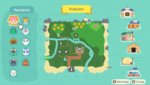
I think I've got an idea of what I wanna do now (ended up using mspaint). It's really messy and not exact, but at least I have a bit of an idea. Thank again!
 

Attachments

  • New Horizons Island Map Idea.jpg
    New Horizons Island Map Idea.jpg
    200 KB · Views: 701
Back
Top