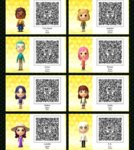
Maybe try using an image editing program to sharpen the images? If that doesn't work, you may need to search for each one to try to see if you can find the original source and full-size images.
Are you trying to scan them from a pic screen or a phone screen. I usually have to do mine from a laptop and even then I zoom the screen right in on so I can get it lined up. Not really much we can do to help you with it unfortunately
Um, Hi! I'm not sure If you still wanted the codes, since this was a post from last year, but I managed to make them all work !
https://uk.pinterest.com/suzt2r/tomodachi-life/?lp=true If you scroll down, there are all the individual ones, (Sorry it's on pinterest btw) they're still super blurry! But if you click on the image and bring it into another tab, try zooming the picture in a bit and you'll be able to scan them successfully ! The perfect zoom for me was 250%, on a 1920 x 1080 monitor !
They all then worked for me it just was a challenge finding the right zoom ! They're such cute mii's ! Good luck ! : o)